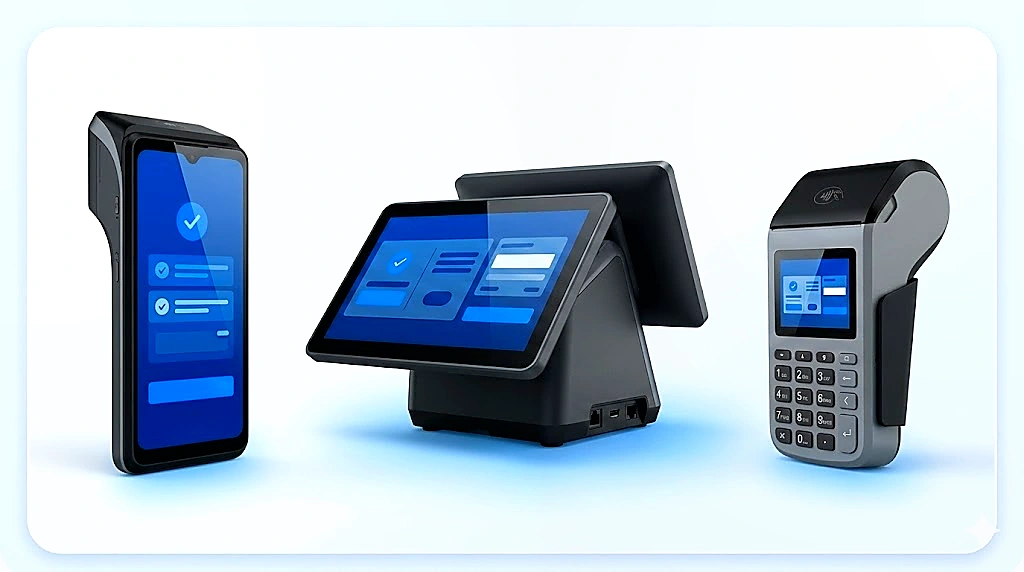
A practical guide for fintechs, acquirers, banks and system integrators choosing payment terminal models before merchant rollout.
1. POS terminal decision matrix
Choose the terminal by payment flow, merchant workflow and rollout economics.
Android POS
Merchant application platform for apps, SDK integration, QR/NFC/card acceptance, reporting and value-added services.
Linux POS
Controlled acquiring terminal for stable transaction flows and predictable bank or acquirer fleet management.
RTOS Keypad POS
Low-cost transaction-focused option when the flow is stable and supplier-side software support is clear.
SoftPOS
Smartphone-led acceptance that reduces hardware but requires security, certification and acquirer readiness.
POS-lite / Soundbox
Lightweight QR/NFC confirmation node. Useful boundary case, not a full POS terminal replacement.
ECR / Counter Terminal
Checkout workflow terminal for POS/ERP integration, cashier software, scanner, printer, scale or display.
2. POS terminal selection is not just hardware purchasing
The best terminal is not the one with the most features. It is the one that matches the payment flow, merchant tier, integration boundary and support model.
Many payment terminal projects begin with a simple question: “How much is the device?” That question is understandable, especially when a bank, fintech, acquirer, PSP, wallet operator, system integrator or regional partner is planning merchant rollout. But a low device price does not automatically create a successful payment project.
A terminal that looks affordable on a quotation sheet may become expensive if the payment flow, software integration, certification path, terminal management model, local service responsibility and merchant workflow are not defined before deployment.
Before asking suppliers for quotation, project owners should clarify what the terminal must do, who will operate it, which payment methods it must accept, which systems it must connect to, who owns the payment application, how devices will be updated and who will support merchants after installation.
3. Start from the merchant acceptance scenario
The first question should not be “Which model is cheapest?” The first question should be: What merchant acceptance scenario are we trying to support?
Fixed-location, mobile, agent-based, retail, hospitality, transport, government, banking, healthcare or MSME.
Different workflows need different terminal forms.Card acceptance, QR payment, NFC tap, wallet payment, bank app payment, mobile money or local scheme support.
Payment flow determines certification and integration path.Indoor, outdoor, battery-powered, high-volume checkout, unstable power or mobile field environment.
Durability, connectivity and battery life must fit the field.Printer, camera, scanner, NFC reader, PIN keypad, dual display, speaker, ID reader, Ethernet or serial port.
The terminal must fit the workflow around it.4. POS selection is often a device portfolio decision
A mature POS rollout should not always force one device across every merchant segment. The portfolio should reflect payment behavior, merchant value, workflow complexity and field-service capacity.
Merchant segment → terminal direction
Use this as the first screening layer before asking for quotation.
5. Android POS: when the terminal becomes a merchant application platform
A full Android POS terminal is often suitable when the project requires more than transaction acceptance. It can support touchscreen interfaces, app-based workflows, merchant applications, SDK integration, loyalty tools, reporting functions, order management, digital receipts and other value-added services.
Best fit
Fintech merchant apps, QR/NFC/card acceptance, larger retail, merchant dashboards and richer workflows.
Watch out
Higher device cost, stronger app governance, clearer certification planning and remote update responsibility.
Scope early
Android version, SDK, app signing, TMS compatibility, payment app ownership and support boundaries.
Android POS vs Traditional POS
Before selecting Android POS, Linux POS or RTOS keypad POS, clarify whether the rollout needs a managed merchant operating layer or a controlled payment appliance.
Read the architecture guide →6. Linux POS and RTOS keypad POS
Linux POS and RTOS keypad POS can still be practical, but their value depends on how controlled the payment flow is and how much software support is available.
Controlled terminal comparison
The question is not whether Linux or RTOS is old or new. The question is whether the project needs a controlled payment terminal or a flexible merchant app platform.
The cheapest POS is not always the easiest POS to deploy.
7. SoftPOS: hardware-light but compliance-heavy
SoftPOS can reduce the need for dedicated hardware by allowing a commercial smartphone or tablet to act as the payment acceptance device. But it is not simply “use any phone as a POS.”
Application security, device attestation, monitoring and scheme alignment must be planned.
Hardware-light does not mean compliance-light.The acquirer, PSP and software provider must support the compliance and approval path.
SoftPOS is an ecosystem decision, not only a software feature.PCI SSC states that MPoC builds on SPoC and CPoC, which address security requirements for solutions enabling merchants to accept cardholder PINs or contactless payments using smartphones or other commercial off-the-shelf mobile devices.1
8. POS-lite and payment soundbox: boundary, not replacement
In this guide, POS-lite means a soundbox-shaped lightweight acceptance node, not a full POS terminal. It may combine dynamic QR, NFC tap, amount display, numeric keypad or simple merchant interaction. It may support audio confirmation, basic transaction visibility and lightweight remote management.
9. QR acceptance, certification and compliance
McKinsey’s Africa payments report describes integrated universal QR initiatives, including Ghana’s GHQR and Nigeria’s NQR, as examples of infrastructure that can reduce complexity as payment methods multiply.2 EMVCo explains that Level 1 testing assesses communication-protocol compliance, while Level 2 testing assesses software features defined in EMV specifications.3
10. POS / ERP integration and terminal-as-a-peripheral mode
In many retail, hospitality and counter-service environments, the payment terminal does not operate as a standalone device. It may work as a terminal-as-a-peripheral, receiving transaction amounts directly from the merchant’s POS system, ERP, cashier software or billing platform.
Checkout integration questions
For larger merchants, the checkout workflow can be as important as the payment terminal itself.
11. SDK, app integration and TMS
A terminal supplier may provide SDK support, sample applications, technical documentation or integration assistance. But project owners should not assume that this equals full payment platform responsibility.
The first 100 devices can be managed manually. The first 10,000 devices cannot.
12. Key injection, local service and partner-led rollout
Key injection and RKI capability must be aligned with the acquirer, payment scheme, HSM/KMS environment, local compliance requirements and security procedures. The existence of a technical feature does not mean it can be used in every project or country without approval.
Who owns keys, HSM/KMS alignment, security procedures, audit requirements and replacement device handling?
Scope this with payment institution and compliance stakeholders.Installation, merchant training, spare parts, swap units, repair center, SLA, warranty and escalation path.
Local service is part of business continuity, not only after-sales.13. Pilot testing, SKD and local assembly
In emerging-market POS projects, sample testing is not only a purchasing formality. It is a practical validation stage for device quality, local certification, payment software customization, banking-system compatibility, peripheral integration and field-service assumptions.
SKD and local assembly can be important in emerging-market terminal projects, but they should be treated as project-dependent options, not slogans. SKD should follow project evidence, not precede demand.
14. Questions before asking for quotation
Before requesting a POS terminal quotation, project owners should prepare a clear scoping brief. The goal is not to collect every possible feature, but to make sure suppliers are quoting the same project scope.
Merchant & Payment Scope
- Which merchant segment is the rollout targeting?
- Which country or market is involved?
- Which payment methods are required?
- Is card acceptance required?
- Is NFC tap required?
- Is QR dynamic or static?
Hardware & Connectivity
- Is a printer, scanner, camera, PIN keypad or dual display required?
- Is the device fixed, mobile or agent-based?
- What connectivity is needed?
- What battery life is required?
- Are ruggedness, outdoor use, ID reader, fingerprint, serial port or weighing-scale connection required?
Software & Integration Boundaries
- Who owns the payment application?
- Who integrates with the wallet, switch, acquirer or bank host?
- Is SDK support required?
- Who handles testing and UAT?
- Does the terminal need POS/ERP integration?
Operations & Security
- Does the device need TMS?
- Who manages app updates and monitoring?
- Is key injection or RKI required?
- Who owns the key management process?
- Who provides L1, L2 and L3 support?
Local Readiness & Rollout
- Who handles installation and merchant training?
- Are spare parts and swap units required?
- What is the pilot quantity?
- What is the expected rollout volume?
- Is SKD or local assembly needed now, later or not at all?
15. Choose the terminal model that fits the rollout
A good POS terminal decision should connect merchant needs, payment flow, integration responsibility, certification path, terminal management and rollout support.
The right question is not only “Which terminal is cheaper?” The better question is: which terminal model can support the market’s payment behavior, merchant economics, integration reality and long-term operations?
TermBridge helps banks, fintechs, PSPs, acquirers, system integrators, local partners and opportunity owners clarify these decisions before quotation. The goal is not to push one device category. The goal is to define the acceptance model, integration boundary, service responsibility and rollout path clearly enough that the right terminal strategy can be selected.
Clarify your POS terminal project before quotation.
Define merchant segment, payment methods, certification path, software ownership, POS/ERP integration, TMS needs, local service model and rollout responsibility before selecting a terminal model.
- PCI Security Standards Council, Mobile Payments on COTS (MPoC).
- McKinsey & Company, The future of payments in Africa.
- EMVCo, What are EMV Level 1 and Level 2 Testing?.